

You’ve successfully created a WordPress website and started exploring how WordPress works behind the scenes, and you came across WordPress content types. The next question that arises is: What are WordPress content types?
In WordPress, post types are one of the primary ways content is structured. Many people use the terms “content types” and “post types” interchangeably, although content types can also include related organizational elements such as taxonomies and custom fields. They define your WordPress site structure and WordPress content type hierarchy, determining how information is stored, displayed, and organized.
While many guides focus only on custom post types, this guide covers the complete WordPress content structure, including posts, pages, attachments, custom post types, taxonomies, and how they work together to organize your website.
Why WordPress Uses Different Content Types
Instead of storing every piece of content the same way, WordPress uses different content types to organize information based on its purpose. This approach makes websites easier to manage, improves navigation, and helps search engines understand the relationship between different sections of a site.
For example, a blog article, an e-commerce product, and an event page all contain different types of information. By assigning each item its own content type, WordPress can display the correct layout, fields, taxonomies, and archive pages automatically.
As websites grow, content types become even more important because they create a scalable structure that supports better content management, stronger SEO, and a more organized user experience.
Why Content Types Matter for Site Structure and SEO
Your WordPress content types significantly impact how your site is organized, navigated, and understood by search engines. You can categorize your content by using the right content type, which provides your site with a logical structure that benefits both user experience and search engine optimization.
For instance, blog posts should be categorized under Posts, since they’re chronological and have topics that are often classified. About Us, Contact, and other static pages work best with Pages, and so on. This separation simplifies content management and makes it quicker for visitors to find the information they’re looking for.
For SEO, a well-defined WordPress content architecture creates a streamlined site structure, more opportunities for internal linking, and better crawlability. Search engines can better understand relationships among different pieces of content, index them more efficiently, and surface relevant pages for related search queries.
Having a clear content hierarchy also helps you create topic clusters and supports your website’s semantic SEO strategy by building topic authority.
How WordPress Organizes Content Behind the Scenes
Although WordPress displays many different content types on the front end, it manages most of them through a unified backend system. At the database level, WordPress stores content as “post types,” with each type assigned a unique identifier.
For example, custom post types such as products, events, and portfolios each have their own type identifier, enabling WordPress to distinguish between them while processing them together.
WordPress also uses taxonomies, such as categories and tags, to classify and organize content. Metadata provides additional information about each content item, such as custom fields, settings, and attributes. Together, post types, taxonomies, and metadata form the foundation of WordPress’s content management system.
How Content Types Are Stored in the WordPress Database
Although WordPress presents posts, pages, products, and other content types differently on the front end, most WordPress content—including posts, pages, attachments, revisions, menu items, and many custom post types—is stored in the wp_posts table.
WordPress identifies each content item using a post type value. For example:
- post = Blog Posts
- page = Pages
- attachment = Media Files
- product = WooCommerce Products
- event = Event Entries
Additional information, such as custom fields, is stored in the wp_postmeta table, while categories, tags, and custom taxonomies are stored in taxonomy-related database tables.
This unified architecture allows WordPress to remain flexible while supporting highly flexible and extensible content structures.
Understanding Default and Custom WordPress Content Types
While WordPress includes several default content types such as posts, pages, and attachments, it also allows you to create custom post types tailored to specific needs. It is crucial to understand default and custom WordPress content types to build a well-organized site structure and improve the user experience.
What Are Default WordPress Content Types?
WordPress comes with several built-in content types that help you create, organize, and manage content without installing additional plugins. Each of these default content types serves a variety of purposes and forms the basis of your site’s content structure.
This flexibility is one of the reasons WordPress remains the world’s most widely used content management system, powering millions of websites across businesses, nonprofits, publishers, and ecommerce stores.
Posts
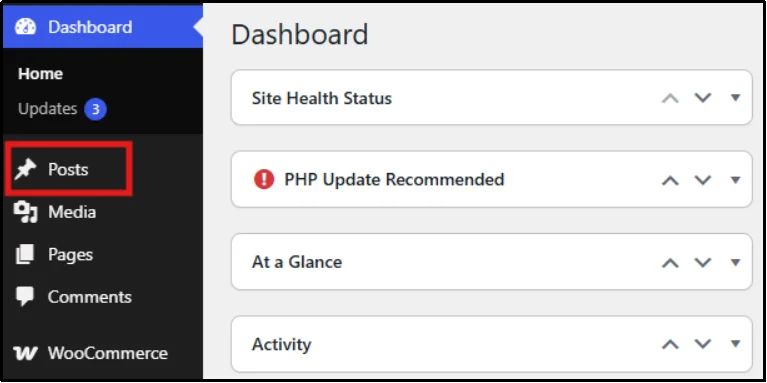
The most frequently used content type in WordPress is the post, typically used for blog articles, news updates, announcements, and other time-sensitive content. They are shown in reverse-chronological order and can be sorted by category and tag. When you are using a blog, news site, or content marketing, you will probably have the majority of your posts.
You can also control who has access to your content by password protecting individual posts, making them visible only to readers who have the correct password.
Pages
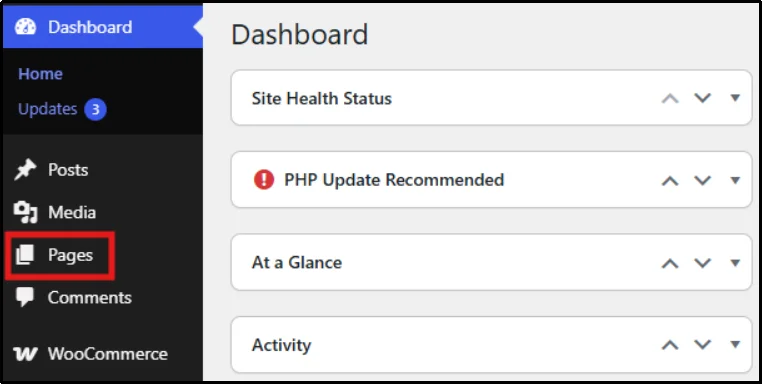
Pages are set up for content that is unlikely to change often. Pages are not sorted by publication date and rarely use categories and tags. Examples of these pages include About Us, Contact, Services, Privacy Policy, and FAQ.
You can also link pages hierarchically, establishing relationships from parent to child pages that will enhance your site’s structure and navigation. If you need to restrict access to certain content, you can learn more about password protecting pages to keep information available only to authorized visitors.
Attachments
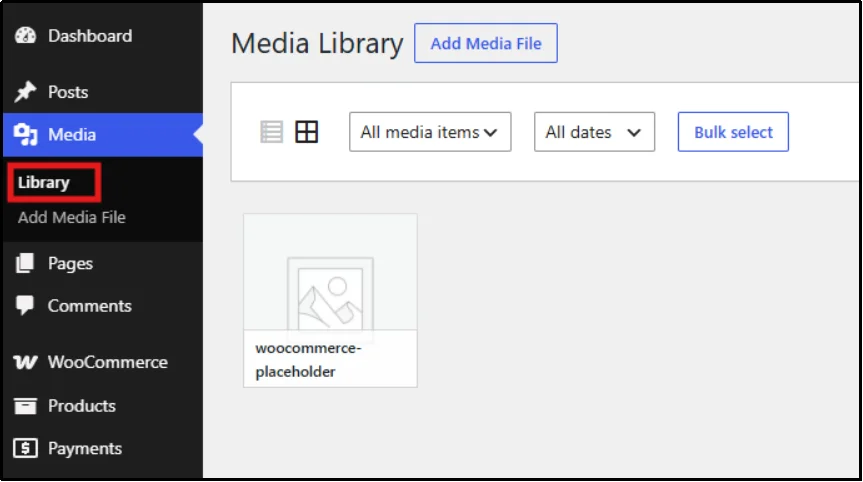
Attachments are the content pieces that are automatically created when you upload images, videos, PDFs, and audio files to the WordPress Media Library. Attachments can include their own title, caption, alt text, and description.
Most website visitors never view attachment pages directly, but WordPress still creates them automatically whenever you upload media. Attachment records help manage media metadata such as titles, captions, and alt text, which can contribute to image SEO when properly optimized.
Revisions
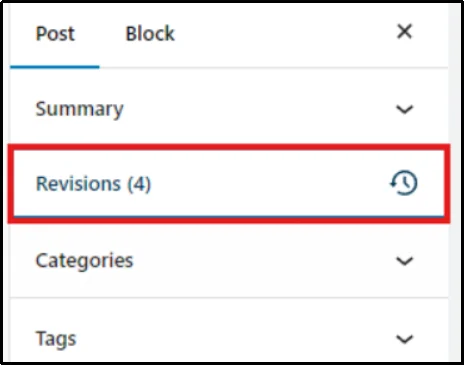
Revisions record a post or page’s previous versions. By default, WordPress stores revisions when content is updated, allowing you to restore earlier versions if needed. This is especially helpful when multiple users edit content or when recovering content following an accidental edit. Revisions help preserve content integrity and provide a safety net during the editing process.
Navigation Menus
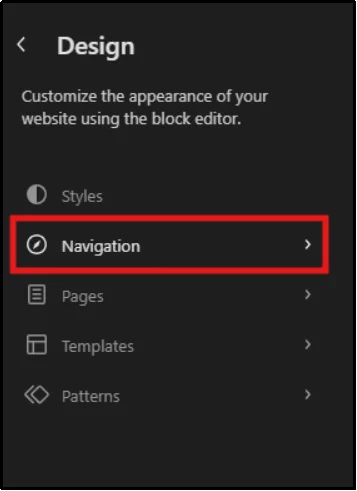
Navigation menus enable users to navigate between your pages, posts, categories, custom post types, and external links. WordPress stores menu items internally as a special post type called nav_menu_item. While users typically manage menus through the Appearance settings rather than as content, WordPress still handles them through its post type system behind the scenes.
Clear navigation menus enhance usability, boost the site’s internal linking structure, and make the site’s structure more apparent to both users and search engines.
Custom CSS
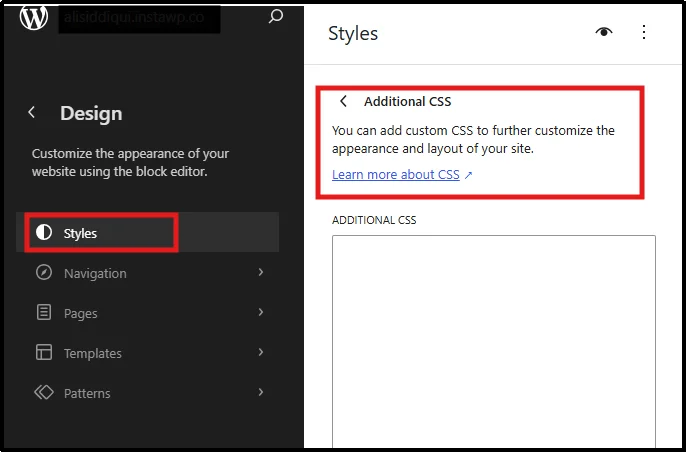
Custom CSS is a hidden and system post type. You can add style to your site without changing the theme files. It saves CSS code to the database and applies it to your site, which is a secure way to alter design aspects such as colors, typography, spacing, and layout.
Unlike direct theme file edits, Custom CSS is stored separately from theme files, so theme updates generally do not overwrite it. However, changing themes may require you to adjust the CSS because the new theme may use different styles and selectors.
Changesets
Perhaps you have never heard the word changesets. They are the least-talked-about WordPress content type and are utilized mainly in the Customizer. They save a set of changes to the WordPress Customizer that are not yet published on your site.
For instance, if you change the menus, widgets, or theme settings within the Customizer, WordPress will save them as a changeset. This way, you can see the changes you’re making and publish them all at once.
Changesets enhance the safety and control of the website customization process by allowing you to commit changes in stages before the site goes live and may help prevent accidental design or layout issues.
What Are WordPress Custom Post Types?
Custom Post Types (CPTs) are user-defined content types and form a key part of WordPress content modeling, allowing you to structure content around your business needs. They allow you to categorize various types of content within your website’s specific sections, making it easier to maintain, expand, and navigate.
Products
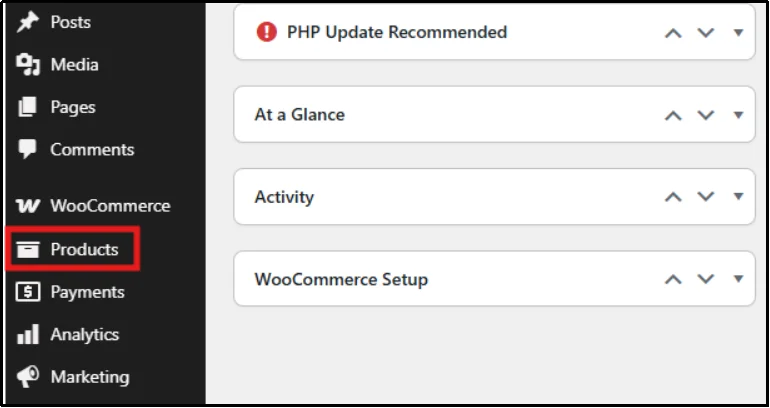
Products are among the most common custom post types, typically created by ecommerce plugins such as WooCommerce register a custom Product post type to manage product information, including pricing, inventory, images, and reviews.
Portfolios
Freelancers, agencies, designers, and photographers use portfolio post types to present their work. They offer a systematic approach to showcase projects, case studies, client information, and project galleries without merging them with blog articles.
Testimonials
Testimonials enable enterprises to capture and present customer reviews as a unique content type. This makes it simpler to organize reviews, use social proof throughout the site, and create testimonial archives or sliders.
Events
Event post types are used to manage conferences, webinars, workshops, meetups, and other scheduled activities. They’re also frequently used in the event industry, as they can be configured to include date, time, location, speaker, and registration details, making them ideal for event management.
Courses
There are many learning management systems (LMS) that can help create Course post types to organize educational content. These post types can be separated from the website’s general content and include information about lessons, quizzes, instructors, progress tracking, and enrollment.
Team Members
Team Member post types allow organizations to display team members, leadership teams, or contributors. Each team member’s entry can include job titles, biographies, contact information, social media profiles, and profile images.
Listings
Listing post types are frequently seen on directory and marketplace websites for business listings, property listings, job postings, and service providers. Custom fields and taxonomies enable visitors to search, filter, and browse listings quickly.
Resources
Resource post types are commonly used for downloadable assets such as eBooks, whitepapers, templates, guides, and reports. Keeping resources separate from blog posts improves content organization and supports lead generation workflows.
Benefits of Custom Post Types
Custom post types help separate different kinds of content into dedicated sections. Instead of mixing products, events, testimonials, and blog articles together, each content type can have its own archive pages, templates, taxonomies, and workflows.
Benefits include:
- Better content organization
- Easier administration
- Improved scalability
- Cleaner URLs
- Better filtering and search
- Enhanced SEO structure
WordPress Taxonomies and Their Relationship to Content Types
Taxonomies determine how WordPress content is organized. Together, content types and taxonomies form the foundation of WordPress content organization, helping users find information more easily and enabling search engines to understand your site’s structure better.
Categories and Tags
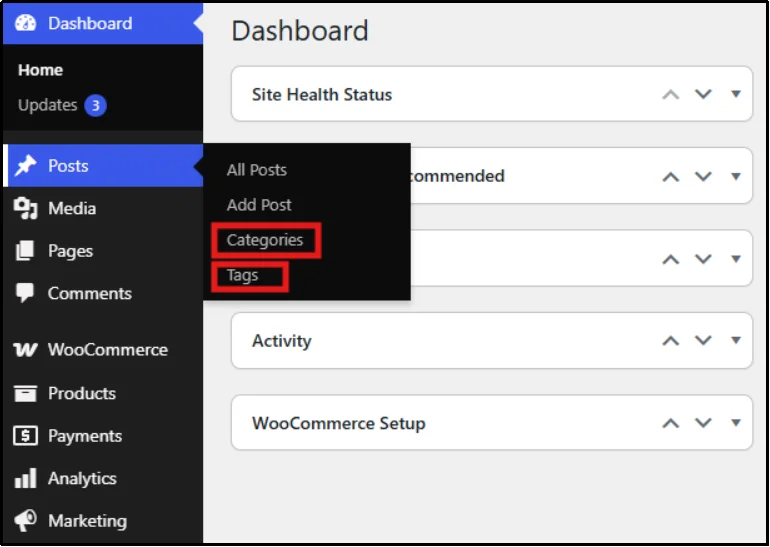
Categories and tags are WordPress’s default taxonomies. Both help organize content, but they serve different purposes.
Categories provide broad, topic-based organization and are hierarchical, meaning they can have parent-child relationships. For example, a marketing blog might have categories such as SEO, Content Marketing, and Social Media. If you need to restrict access to a specific section of your site, you can password protect categories so that only authorized users can view the posts within them.
Tags provide more specific descriptors and are non-hierarchical. A post in the SEO category might include tags such as keyword research, backlinks, and technical SEO.
When comparing WordPress categories vs tags, think of categories as your site’s table of contents and tags as the index that helps users discover related content across topics.
Custom Taxonomies
As websites grow, default categories and tags may not provide enough flexibility. This is where custom taxonomies become valuable.
Custom taxonomies allow you to create specialized classification systems tailored to your content. For example:
- E-commerce sites may use Brand, Color, or Material taxonomies.
- Event websites may use Event Type, Venue, or Speaker taxonomies.
- Portfolio websites may use Industry, Service, or Project Type taxonomies.
- Directory websites may use Location, Business Type, or Pricing Tier taxonomies.
How Taxonomies Improve Navigation and SEO
By grouping related content, taxonomies help visitors quickly find relevant information and explore additional content on your website.
Taxonomies help make sites more hierarchical and logical by providing links between content. Category and taxonomy archive pages can serve as topic hubs, facilitating internal linking and helping search engines understand the context of your content.
The main concept is to establish a taxonomy structure that aligns with the content plan. Don’t overdo any categories or tags; instead, build good relationships that enhance the user and search engine experience.
Real‑World Use Cases
Once you get an idea of how WordPress content types are used in actual websites, it’s easier to appreciate how they work in practice. Many combinations of posts, pages, custom post types, and taxonomies are used across industries to create structured, scalable, and easy-to-use websites.
E-commerce: Products, Reviews, Categories
WordPress CPTs are crucial for e-commerce sites, especially when handling sensitive product information. Products are stored in a special Product content type that may include product images, variations, stock levels, pricing, etc., rather than in standard posts.
This is achieved by using taxonomies such as product categories, brands, and attributes. For instance, an online fashion retailer could have categories such as “Men’s Clothing” or “Women’s Shoes”, with filters such as “Size”, “Color”, and “Material”.
This makes navigation smoother and allows advanced filtering, enhancing the overall shopping experience. It also helps with SEO by generating well-structured category and product archive pages that are easily accessible and indexable by search engines.
Portfolios: Projects, Case Studies
Portfolio websites, commonly used by designers, developers, and agencies, often rely on a “Project” custom post type. Images, description, technologies used, client information, etc., can be included with each project along with results.
Custom taxonomies are often created to enhance organization, such as “Project Type,” “Industry,” or “Service Category.” This enables visitors to narrow down the work based on their requirements, for instance, web design, branding, or mobile application development.
A separate content architecture for portfolios will help to keep work samples from getting lost in blog posts, giving your presentation of accomplishments a more professional and organized look.
Membership Sites: Protected Content
Restricted or premium content is managed with membership websites using WordPress content types. This frequently involves custom post types for courses, lessons, or resources, as well as access control systems.
Content is usually secured with protection plugins like Password Protected so that only authorized users can access individual pages or posts.
This is beneficial for site owners, helping them distinguish between public content, such as blog posts, and private content, such as premium guides, tutorials, or downloadable resources, thereby establishing a clear content hierarchy and enhancing the user experience.
Directories: Listings, Filters
Custom post types in directory websites, i.e., listings such as business directories, job boards, or real estate sites, are crucial. Every listing is a separate entity and contains structured data like name, address, description, and contact information.
Custom taxonomies are very important for organizing listings. A business directory could have sections such as industry types, geographical locations, pricing levels, or services offered. These taxonomies provide a wide range of filtering capabilities, allowing users to locate the results they are looking for easily.
This structured approach is essential for large-scale directories, where, to be helpful to users, it must filter effectively.
Best Ways to Utilize WordPress Content Types
Using WordPress content types strategically can improve site organization, scalability, user experience, and SEO. Follow these best practices to build a content structure that remains effective as your website grows.
- Choose the right content type for the job
Use posts for regularly updated content, pages for evergreen information, and custom post types for specialized content such as products, portfolios, events, or directories. Matching content to the appropriate type creates a cleaner site structure and simplifies content management.
- Keep your content architecture simple
Avoid creating unnecessary custom post types or taxonomies. Every content type should serve a distinct purpose. A simpler structure is easier for users to navigate and easier for your team to maintain.
- Use taxonomies consistently
Categories, tags, and custom taxonomies should follow a clear organizational strategy. Consistent taxonomy usage improves content discoverability, strengthens internal linking, and helps search engines understand relationships between pages.
- Plan for future growth
Consider how your website may evolve. Structuring content correctly from the start helps prevent costly migrations, content reorganization, and SEO disruptions later.
- Optimize archive pages for SEO
Category, tag, and custom taxonomy archives can become valuable landing pages. Add unique descriptions, optimize metadata, and ensure these pages provide value rather than acting as thin content.
- Create SEO-friendly URLs
Use clear and descriptive permalink structures for posts, pages, and custom post types. Well-structured URLs improve user understanding and help search engines interpret content context.
- Implement schema markup where appropriate
Different content types may benefit from different schema types, such as Article, Product, Event, or Course schema. Structured data can improve search visibility and help search engines better understand your content.
- Maintain consistent naming conventions
Use clear names for custom post types and taxonomies. Consistent naming improves content management and makes the website easier for administrators and contributors to understand.
- Protect sensitive or member-only content
If your website contains premium resources, client portals, training materials, or internal documents, implement appropriate access controls. Restricting content helps maintain security while delivering the right experience to authorized users.
- Review and refine your content structure regularly
As your website grows, periodically audit your content types and taxonomies. Removing outdated structures and improving organization ensures your site remains efficient, scalable, and easy to navigate.
Common Mistakes to Avoid While Using WordPress Post Types
- Using posts for everything: Relying only on posts for all content types leads to poor organization and makes it difficult to scale or manage content effectively.
- Creating unnecessary custom post types: Adding too many CPTs without a clear purpose can clutter the admin area and increase complexity without improving structure.
- Misusing categories and tags: Overusing or applying them inconsistently can create messy archives and reduce SEO effectiveness.
- Ignoring taxonomy structure: Without proper taxonomies, even well-structured content types become hard to navigate and less useful for users and search engines alike.
- Lack of planning for growth: Not anticipating how content will expand often leads to restructuring later, which can be time-consuming and inefficient.
Final Thoughts on WordPress Content Types
WordPress content types form the foundation of every website built on the platform. From posts and pages to custom post types and taxonomies, each element plays a specific role in structuring content and improving site organization.
When used correctly, they help create a scalable website architecture that enhances user experience, strengthens internal linking, and improves SEO performance. Understanding how to combine content types with taxonomies allows you to build websites that are not only easier to manage but also better optimized for search engines.
If you want to take your WordPress structure further, securing and controlling access to content is equally important. Password Protected can help you restrict access to sensitive pages, manage memberships, and protect premium content while maintaining a clean, organized site structure.
Frequently Asked Questions
What is the difference between posts and pages?
Posts are dynamic, time-based content used for blogs, news, and updates, typically organized into categories. Pages are static content, such as Services and Contact pages, and are not tied to blog archives.
How many content types are there in WordPress?
WordPress includes several built-in content types, including posts, pages, attachments, revisions, navigation menus, custom CSS, and changesets. Plugins and themes can also register additional custom post types, allowing websites to support virtually unlimited content structures.
When should I use a custom post type?
You should use a custom post type when your content doesn’t fit naturally into posts or pages. For example, products, portfolios, events, or listings benefit from their own structured format because they require unique fields, layouts, and organization.
Can I create custom content types without coding?
Yes, you can create custom post types using plugins on WordPress. These plugins allow you to define and manage custom content structures without coding.
What are custom taxonomies in WordPress?
Custom taxonomies are classification systems used to organize content beyond default categories and tags. They allow you to group custom post types in meaningful ways, such as product brands, event types, or project categories.
How do content types affect SEO?
Content types improve SEO by creating a clear and structured WordPress site architecture. When content is properly separated into posts, pages, and custom post types, search engines can better understand relationships between pages, improving crawlability, indexing, and topical relevance.
Are custom post types better for SEO than regular posts?
Custom post types are not inherently better for SEO. However, they can improve site structure, organization, internal linking, and user experience when used appropriately, which may indirectly support better search performance.
Do custom post types have archive pages?
Yes. Custom post types can have dedicated archive pages when archive support is enabled during registration.
Can custom post types use categories and tags?
Yes. Developers can configure custom post types to use WordPress categories and tags or create custom taxonomies specifically for that content type.
What is the difference between custom fields and custom post types?
Custom post types define a new content structure, while custom fields store additional information associated with that content. For example, an Event post type may use custom fields to store dates, venues, and ticket information.