


Website security is one of the most important aspects of maintaining an online presence. This key aspect is even more crucial for small businesses because numerous small businesses neglect this vital ingredient of a secure website. This is why small businesses account for 43% of annual cyberattacks. Of these, 46% of attacks were on businesses with 1000 or fewer employees, accentuating the importance of website security for small businesses. (Astra, 2025).
But you don’t have to worry about it. This guide will help you protect your small business from common cyber threats. Keep on reading to learn five tips you can start implementing today to enhance website security for small businesses.
Why do Cyberattackers Love to Target Small Businesses?
If we think it actually makes more sense for cyber attackers to go for already established businesses or enterprises, as they will be able to pay more ransom and are definitely more data-filled if the attacker is trying to steal information.
But no! Hackers still love to go for small and medium enterprises (SMEs) for the following reasons:
- Small businesses are easy targets. Many neglect advanced security measures, thinking they won’t be targeted.
- SMEs are easier to infiltrate. Many small businesses run on outdated software, which is one of the easiest targets for cyber attackers to gain unauthorized access.
- They become stepping stones for bigger businesses. In a breach in late 2013, Target was hacked using credentials found in another breach involving a small business. Similarly, smaller businesses are targeted to find sensitive information about other, larger businesses. Later, Target settled the case for $18.5 million, which also hints at the consequences of such a breach (NBCNews, 2017).
5 Common Cyber Attacks on Small Businesses
Before learning the techniques, here are the common attacks and how they can impact your small business:
#1: Malware
Malware is one of the most significant threats to small businesses. There are billions of malware lingering around the internet. And each one can pose a unique complication to your small business. Thus, it’s imperative to enhance website security for small businesses to protect from malware, worms, or viruses.
#2: Ransomware
Although this is one of the kinds of malware, there are differences. The following article can help you explore the differences.
🔗 Ransomware vs Malware: What’s the Difference?
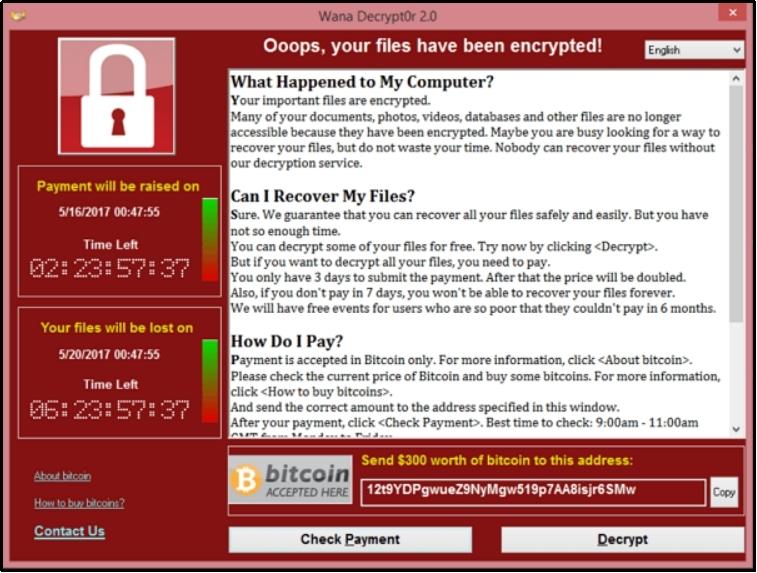
Ransomware can hold your small business hostage and ask for a massive ransom to grant access. Usually, the attacker asks for ransom in cryptocurrencies. For instance, the error message could read, “Your website is hacked, send $300 worth of bitcoins to this address to regain access.”
Source/Upguard
#3: Password-guessing attacks
Another very common problem small businesses face is password-guessing attacks, such as brute force attacks or credential stuffing. These attacks include hackers using automated machines or entering numerous password combinations to crack your login credentials. There are various types of such attacks, such as brute force attacks, credential stuffing, dictionary attacks, etc., you can learn more about these attacks in the article linked below:
🔗 WordPress Brute Force Attack: 4 Easy Ways to Prevent It in 2025
#4: Phishing attacks
Next, we have phishing attacks. These occur via text messages, emails, or other means of communication. Phishing attacks involve cyberattackers posing as legitimate contacts and extracting sensitive information, such as banking details, login credentials, security information, etc. For instance, the attacker may pose as your friend and ask to borrow money. Or posing as a bank employee asking for account details to process transactions or requesting to download the attached file.
#5: Insider threats
Another serious threat arises from the inside. Insider threats come from any insider, including an employee, former employee, a business contractor that you are no longer in contact with, or anyone that your business was associated with and may have access to your IT systems, passwords, or data can be a critical threat to your small business. There are numerous examples of companies bearing severe consequences. In fact, one study in 2023 found an insider threat can cost a business over $16.2 million. (Syteca, 2024).
Enhance Website Security for Small Business: 5 Tips
Now that you understand the common problems let’s quickly jump into the solutions:
#1: Enhance your login page security.
Most WordPress websites have the default login page at /wp-login.php or /wp-admin, making it easy for attackers to find and attempt password-guessing attacks. By changing your login URL to something unique, you immediately add a layer of security. For example, instead of yourwebsite.com/wp-login.php, you could set it as yourwebsite.com/custom-login-xyz. This simple step makes it harder for attackers to locate your login page and launch brute-force attacks.
Additionally, use strong passwords and ensure that you do not repeat them for multiple accounts. Weak passwords are an open invitation for cybercriminals. Many small business owners make the mistake of using easy-to-guess passwords such as admin123 or password123. As discussed earlier, hackers use automated tools that can test thousands of password combinations within seconds, in fact, passwords like those stated above can be breached in less than a second. (NordVPN, 2024).
Moreover, if you’re using WordPress, enhancing security is even easier with the AIO Login plugin. This powerful security tool adds multiple layers of protection to your login page, including:
- Login URL customization to hide the default /wp-login.php page.
- Brute force attack prevention by limiting login attempts.
- Two-factor authentication (2FA) for an added security layer.
- Captcha verification to prevent automated login attempts.
#2: Train employees, contractors, and associated parties.
Earlier, we learned how cyberattackers target businesses or enterprises with phishing attacks, posing as allies. These messages or emails can easily be spotted by being vigilant about the patterns. For instance, these hackers often come from undeveloped countries and do not speak English as their first language. Thus, such emails are usually packed with grammatical errors.
Moreover, hackers usually try to spark a sense of urgency to force the user to take their desired action. For instance, download this file, or else your bank account will be closed!
Similarly, these emails can stand out because of the unreal incentives or benefits offered in exchange for mundane actions. For instance, download this file to get a million-dollar bonus, etc.
Businesses can also benefit from not downloading the attached file with such emails. Opening the email is usually not problematic. But the problem arises when you download the file, and it extracts itself and sometimes starts multiplying until your device is completely hacked.
Understanding such patterns can help fight phishing attacks.
#3: Implement the principle of least privilege (PoLP)
We already discussed insider threats. Such problems can be overcome by applying the principle of least privilege, which means allowing only enough access for the person to complete their work and revoking the minute they are no longer associated with the business or no longer need access to complete their tasks.
For instance, a search engine optimization specialist may request access to Google Search Console, your website, and specific tools. Once the work is done, make sure to completely revoke their access and change passwords to prevent unauthorized access.
In an infamous incident of 2021-2022, a terminated employee of Cash App sought revenge on the company by downloading sensitive information of over 8 million users of the financial service. The company (Block) didn’t notify the compromised users right away and waited four months to do so. In the meantime, many users had their funds stolen, causing great distress. The lawsuit regarding this issue is still ongoing while writing this article. (Metomic, 2024).
#4: Protect your data with frequent backups.
Another vital part of website security for small businesses includes creating frequent backups of your website or data. Backups enable you to return back to the previous state whenever you want to.
Therefore, make yourself habitual of creating a backup very frequently. Backups can even help me in critical conditions, such as when your website has caught ransomware or malware. You can easily load previous backups and get away from paying massive amounts of ransom.
Undoubtedly, creating regular backups might seem time-consuming or daunting, but with the right tools and plugins, you can automate this process, ensuring your website is safe in case of a calamity advent.
#5: Keep up with updates.
As discussed earlier, outdated software can be a gateway for cyber attackers. Therefore, always make sure to update your software. If you use a content management system like WordPress, you should be extra vigilant because some of the CMSs have known vulnerabilities that can help attackers infiltrate.
Content management systems come with plugins and extensions, make sure to update them as well. For example, on WordPress, you have plugins and themes, ensuring to update both. Also, you can benefit from the auto-update feature that automatically updates your themes or plugins as soon as an update is available.
What To Do If You Are Hacked?
Unfortunately, whatever you do, the hackers can still find a way to infiltrate your security. There are billions of malware running around the internet, and many new variants are being created every single day. The best thing for website security for small businesses is to be updated on the ongoing cybercrimes and make sure your website security is top-notch.
However, if the hacker does find a way through, follow these steps:
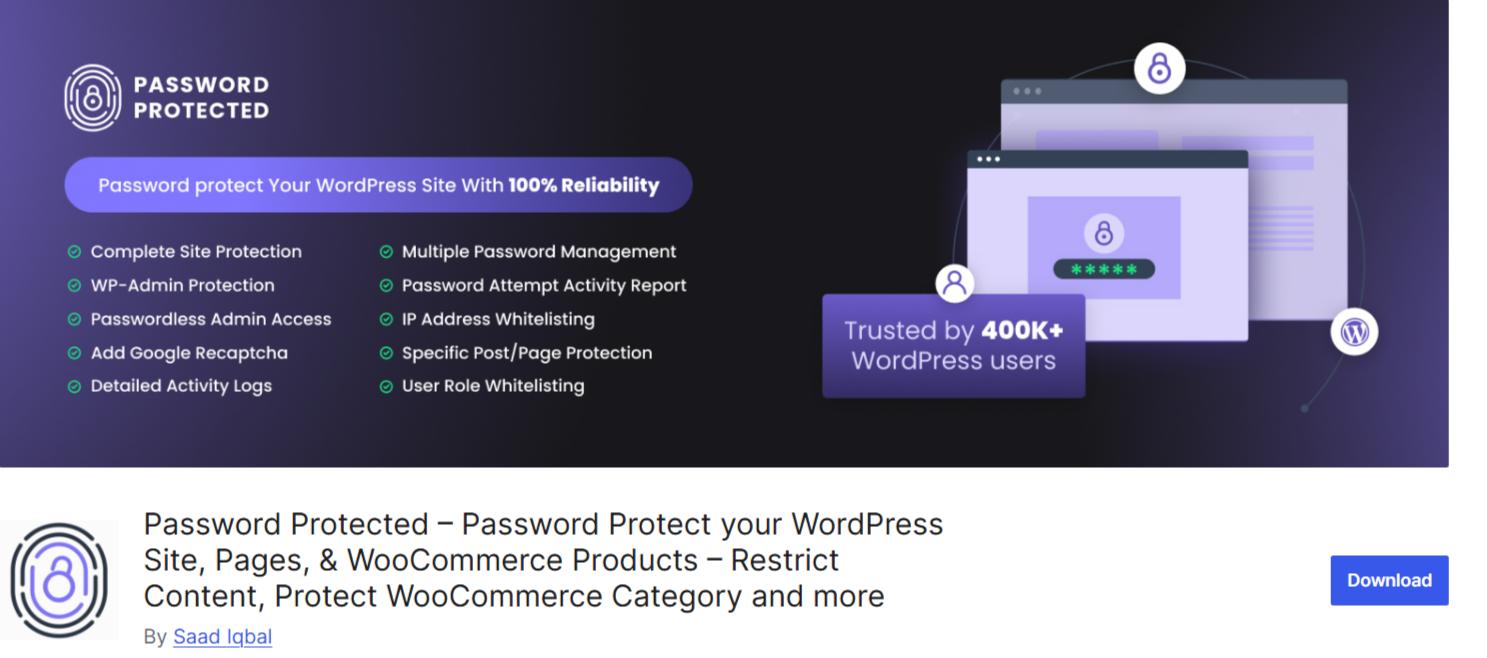
- Step #1: Password Protect your website. First and foremost, protect your website to prevent the virus from spreading further. For WordPress, use the Password Protected plugin.
- Step #2: Run an antivirus scan. The scan will not only help with cleansing, but you can also verify the type of malware or virus that is affecting your device, enabling you to take virus-specific precautionary measures.
- Step #3: Eliminate the malicious code or file. Most anti-virus software allows for eliminating viruses with a single click after the scan.
- Step #4: Run another antivirus/virus-specific search. This is to ensure the virus and remnants are completely clean, if you still find problematic files, repeat the process until the device is free of any malicious code or file.
- Step #5: Restore backup. Finally, if the impact of the malicious activity is significant, restore your previous backup.
Conclusion
This is how you can enhance website security for small businesses. For a quick recap:
- Enhance your login page security to prevent password-guessing attacks.
- Train employees and everyone associated with your business to recognize phishing attacks.
- Implement the principle of PoLP, where you only allow enough access for the completion of their task.
- Frequently create backups to ensure your website is safe from abrupt problems.
- Do not neglect updates, even for a very short time. Update the software as soon as possible, as outdated software can allow hackers in.
That’s it! To add another layer of security to your website, try Password Protected!
Frequently Asked Questions
Why are small businesses more vulnerable to cyberattacks?
Small businesses often lack advanced security measures, use outdated software, and may not have dedicated IT teams to monitor threats. This makes them easy targets for hackers looking to exploit vulnerabilities or use them as entry points to attack larger businesses.
How can I protect my small business from cyber threats?
You can enhance website security by using strong passwords, updating software regularly, training employees on phishing attacks, implementing the principle of least privilege (PoLP), and creating frequent backups to restore data in case of an attack.
What should I do if my website gets hacked?
If your website is hacked, immediately password-protect it, run an antivirus scan, remove malicious files, perform another security check, and restore a clean backup. Using security plugins like Password Protected for WordPress can also help prevent further attacks.
How often should I update my website’s software and plugins?
You should update your website’s software, plugins, and themes as soon as new updates are available. Outdated software can have vulnerabilities that hackers exploit, so enabling automatic updates where possible is a good practice.