


Running a WooCommerce business is full of ups and downs. Sometimes, you feel ecstatic witnessing the tons of orders and feel like this is the best feeling one could ever experience. Unfortunately, your excitement dies when you discover all the orders are fake.
Not only do you lose your valuable time, but you also have to bear chargeback and other processing fees or fines imposed by payment processors or banks. The time that could have been utilized to deal with legitimate customers.
But don’t worry! Since you have landed on this article. We are here to help!
In this guide, you will learn more about WooCommerce fake orders, their impact on your business, and, in the end, a few actionable techniques to prevent fake orders on WooCommerce.
Without further ado, let’s jump right in!
WooCommerce Fake Orders: What are They?
Fake orders refer to fraudulent purchases made by customers for various reasons. Fraudulent or fake orders can significantly impact your WooCommerce business. You either pay financially or with your valuable time and resources, which could be used to assess legitimate customers.
Types of Fake Orders on WooCommerce
- Credit Card Fraud: Customers use fake billing details, causing the order to be delivered to either an incorrect address or a fake address that does not even exist.
- Chargeback Fraud: Customers sometimes request a chargeback after the product has been shipped. That way, the merchant bears the chargeback costs and also loses the product. To compound the problem further, perpetrators sometimes use “carding,” which tests the authenticity of numerous credit or debit cards by making small purchases. After a successful purchase, chargebacks are requested, causing a massive financial burden for the business.
- Stolen Card Fraud: This is one of the Card-Not-Present (CNP) frauds, where fraudsters use multiple credit card details stolen from previous data breaches or bought from the dark web. This continuous payment processing can lead to significant financial and operational issues.
- Inventory Exhaustion: Also known as stock depletion, is a fraudulent technique in which fraudsters manipulate inventory by holding it in cards and making it unavailable to legitimate customers, either manually or by utilizing automated bots. Another significant downfall of these errors is the corruption of store analytics, making it highly laborious to analyze customer behavior.
- Account Takeover: Your customers’ failure to follow the best security practices can allow perpetrators to hijack and use their accounts to make fraudulent orders.
- Clean Fraud: This one is the hardest to detect, as it occurs when the fraudster has complete sensitive information about someone, including their credit card details, address, and other security questions.
Common Reasons for Fake Orders in WooCommerce
These fake orders on WooCommerce can occur for multiple reasons, including:
- Test for Vulnerabilities: Fraudulent orders can occur to test your payment gateway processes and security. Perpetrators may use fake debit or credit cards to identify potential weaknesses or vulnerabilities that can be exploited to gain illegitimate benefits.
- Manipulate Stock Inventory: Earlier, we discussed inventory exhaustion—the practice of manipulating the stock inventory of a store. Wicked competitors sometimes practice this to manipulate your stock inventory. That way, they allude the customers their way.
- Pranks: Customers like to play pranks—or, we can say, very expensive pranks. Although no one knows what goes in their minds, these tiny pranks can cause substantial financial or operational inconveniences.
- To Validate the Card’s Authenticity: Sensitive information extracted by phishing, brute force attacks, or other types of cyberattacks does not always work. Thus, hackers perform frauds like carding.
- To Calculate the Exact Price at Checkout: WooCommerce stores sometimes have hidden charges and other delivery charges that are not clearly disclosed before the checkout process. To accommodate the charges accurately, customers may place fake orders.
Recognizing the Signs of Fake Orders on WooCommerce
Now that you understand the fraud offers and why they occur, let’s understand the common signs to recognize them so you can prevent fake orders on WooCommerce before they become a significant issue for your business.
Unusual Order Patterns
Every WooCommerce store has a unique customer base. Your WooCommerce store might be highly active when some other store barely gets an order. In a nutshell, the time when you get the most orders and when there is scarcely a visitor, let alone a sale.
If you are not aware of your customers’ behavior, look through your analytics to find the most active time for your store.
Getting an unusual amount of sales at a time when you barely get a sale is a massive sign that the sale could be fraudulent. Hence, manual reviewing such activities is a must.
Suspicious Customer Information
Fraudsters usually create fake accounts to perform counterfeit orders. Thus, if the customer is using a temporary mail or an email that looks unreal or contains words that are not real, it indicates a fake order.
Another massive sign is when their billing address does not match the address on the card. However, it is completely normal for customers to buy your products and have them delivered to different billing addresses as a gift. But still, this can be a massive red flag that should not be ignored. If you encounter such an order, verify other patterns discussed in this section.
Multiple Failed Orders From an IP Address
If you see unusual failed transactions or failed order notifications all of a sudden, that can be a sign of carding or other fraudulent activities. Promptly return to these notifications by blocking the IP address or informing the authorities to prevent chargeback costs or other obligatory fees.
Four Ways To Prevent Fake Orders on WooCommerce
Fake orders are annoying, frustrating, and even heart-breaking because these can be a significant financial loss for your business. But before you lose your cool, let us tell you: these are preventable, and we are here to show you how.
Here are four actionable steps to prevent fake orders on WooCommerce.
1. Prevent Bot Orders
The best way to prevent bots is to install a firewall. It protects your WooCommerce by filtering the incoming and outgoing traffic 24/7. By ensuring no bots enter your website, you can prevent fake orders on WooCommerce placed by bots. A firewall works by your configured security principles, restricting every user from meeting them.
You can enable an external firewall by Cloudflare or download a WordPress plugin like Jetpack.
Jetpack offers additional security features that can be vital to protecting your WooCommerce not only from bot offers but also from other types of cyberattacks.

To enhance your bot prevention strategies further, you can add reCAPTCHA or 2FA to your checkout. Alternatively, add an additional layer of security by using Password Protected, a plugin that allows you to add another layer of security to your WooCommerce. Or, if you don’t like the idea of password-protecting your entire store, you can also do that for a specific product or page. Here’s how to password-protect WooCommerce products.
That adds another layer of assurance that the order placed came indeed from a human being and not a bot.
Earlier, we discussed how competitors may use bots to deplete stocks and cause more inconvenience. Thus, polishing your bot prevention strategies can keep you away from such dangers.
2. Install Fraud Detection Extensions and Plugins
WooCommerce offers multiple fraud detection extensions. Installing the best ones can prevent fake orders on WooCommerce. Here are a few useful ones:
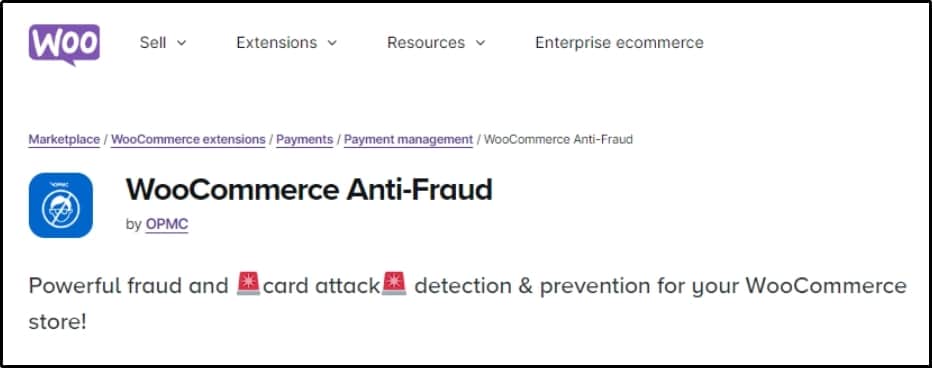
- WooCommerce Anti-Fraud: This WooCommerce extension offers a complete WooCommerce anti-fraud solution. This includes blocking an IP address by country/region, limiting volume for a user, limiting order attempts, using an analytics dashboard to monitor site activity, order risk estimation, and finally, you will receive email alerts for any suspicious findings.
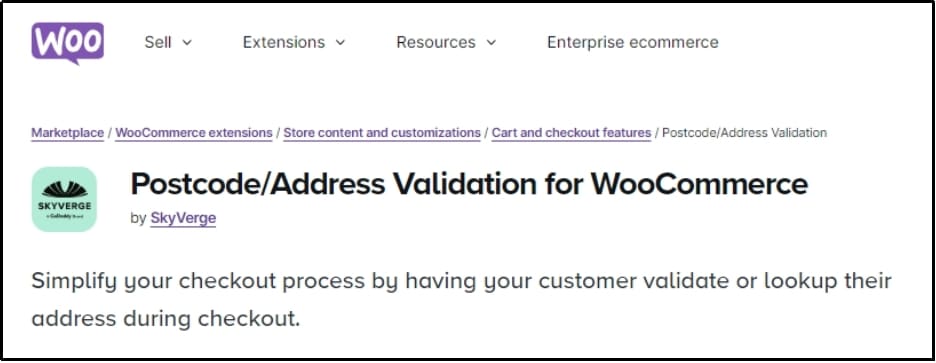
- Postcode/Address Validation for WooCommerce: As discussed earlier, fraudulent orders sometimes use fake addresses that are not real. This extension prevents such instances by connecting your store with an address/postcode lookup service provider that helps fetch the address and postcode to confirm its authenticity.
- WordFence: offers a complete security solution.

3. Be Mindful of Cash-on-Delivery (COD)
Although COD offers an additional payment option to your customers, it is sometimes the preferable choice for fraudsters as it doesn’t require adding credit card details. Perpetrators can place the order with a fake address, while the merchant will bear the cost of delivering and returning the product.
However, some countries or regions, especially in the Middle East, prefer cash-on-delivery, and depriving them of their favorite payment option can be detrimental to your business. Hence, it’s wise to weigh both circumstances before making a decision.
Additionally, take delivery charges in advance from users buying in bulk or ordering in distant regions where delivery charges will be significant.
4. Manually Monitor Unusual Orders
Previously, we conversed about spotting a fake order. If you are even slightly perplexed about an order’s authenticity, you should monitor that manually to prevent fake orders on WooCommerce.
The signs include getting orders at an unusual time, an order purchasing your entire stock—or at least way more than you usually get, card address not matching the billing address, and purchasing in a currency different from the card’s country.
WooCommerce and WordPress directories offer a variety of plugins and extensions that offer features to monitor user behavior and activity.
Maintain and update a list of known fraudulent IP addresses. Blocking these IPs from accessing your site can prevent repeat offenders from placing fake orders.
Enforce strong password policies to ensure that customer accounts are secure. Strong passwords that include a combination of letters, numbers, and special characters make it harder for fraudsters to gain unauthorized access.
Final Words
Unfortunately, fraudulent orders are a negative aspect of an eCommerce business. No matter how robust your security is, fraudulent offers will still occur occasionally. These attackers work tirelessly to find new ways to exploit vulnerabilities and offers. To combat them, you must also continuously refine your strategies.
However, you can mitigate the risks and prevent fake orders on WooCommerce by taking all the safety precautionary measures mentioned in the article. If you need further assistance, you can contact our support team.
For any reason, if you want to make your WooCommerce store private, download Password Protected today and add a password protected screen with ease.
Frequently Asked Questions
How to avoid fake orders?
To prevent fake orders on WooCommerce, you must employ robust precautions to prevent bot orders. Many fraudsters use automated bots for fake orders, trapping them out using reCAPTCHA, 2FA, or an additional password using Password Protected, will prevent fake orders caused by bots.
Furthermore, implementing a firewall will help filter incoming and outgoing traffic, which can be vital for ensuring that no bots make it past the login screen.
How do I secure my WooCommerce store?
To secure your WooCommerce store, you must install reliable WooCommerce security plugins and extensions to help find and eliminate fraudulent orders. Furthermore, to enhance your security further, you can disable Cash-on-Delivery (COD), as most fraudsters tend to use this payment method. Lastly, manually monitor your WooCommerce store for any suspicious activity.
What steps should I take if I identify a fake order?
Promptly cancel the order and block the IP address from being used in the future. Review your strategies and refurbish them to prevent fake orders while moving forward.