

We build Password Protected with one goal in mind. Give you exactly what you need.
Every improvement starts with your feedback.
You wanted better control over your data. Clearer communication for your visitors. And a faster way to manage passwords at scale.
We listened. We prioritized your requests and built the solution.
Password Protected Pro v2.1.0 is live. It delivers the exact features you asked for.
Let’s explore what’s new.
3 New Features in Password Protected Pro v2.1.0
We built these features based on your feedback:
- Export activity logs in CSV format
- Customize error messages for expired passwords
- Import and export individual post/page passwords in bulk
Now let’s explore each feature in detail.
Feature #1: Export Password Activity Logs
Until now, you could view activity logs inside your dashboard. But exporting them for reporting or analysis was not possible.
That changes now.
You can now export activity logs directly as a CSV file based on your selected filters.
To export password activity logs:
Select a filter:
- All Logs
- Today
- Yesterday
- This Week
- This Month
Click the Export CSV button.
That’s it.
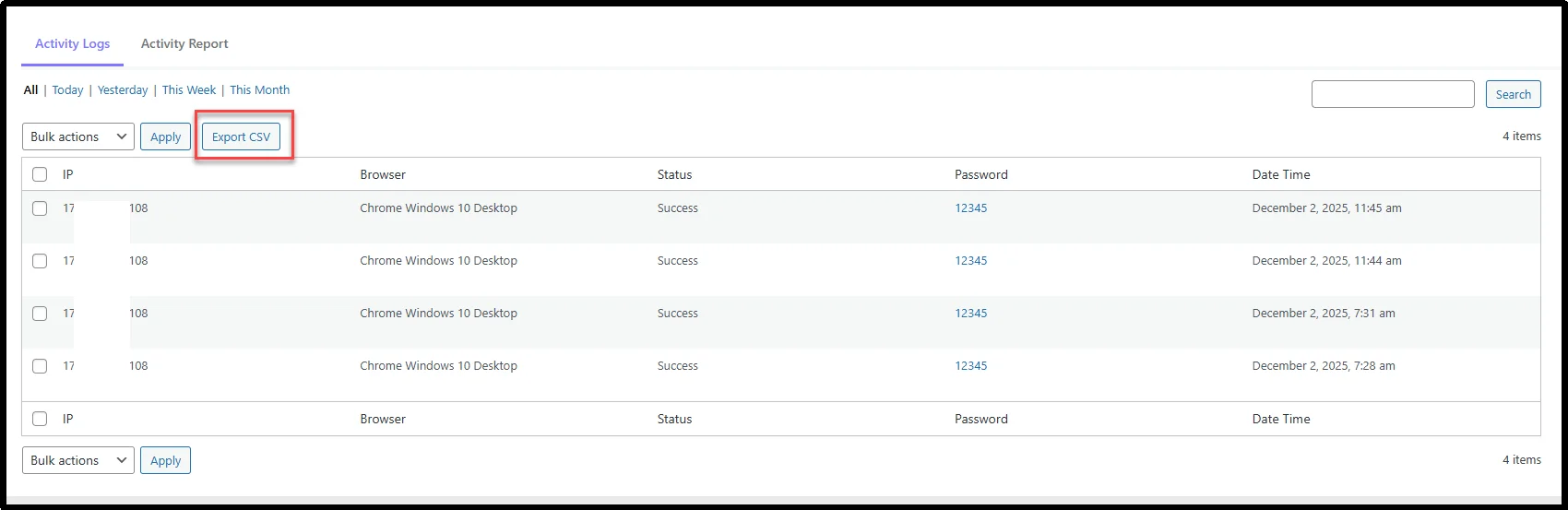
Your file downloads instantly with only the filtered data you selected.
Feature #2: Custom Error Messages for Expired or Limited Passwords
Generic error messages create confusion.
When a password expires or reaches its usage limit, users don’t always understand what went wrong. Now you can control that message.
You can set a custom error message for:
- Expired passwords
- Usage limit exceeded
We provide a default message to get you started. You can edit it anytime and save your own version.
To set it up, go to Password Protected → Advanced → Custom Error Message.
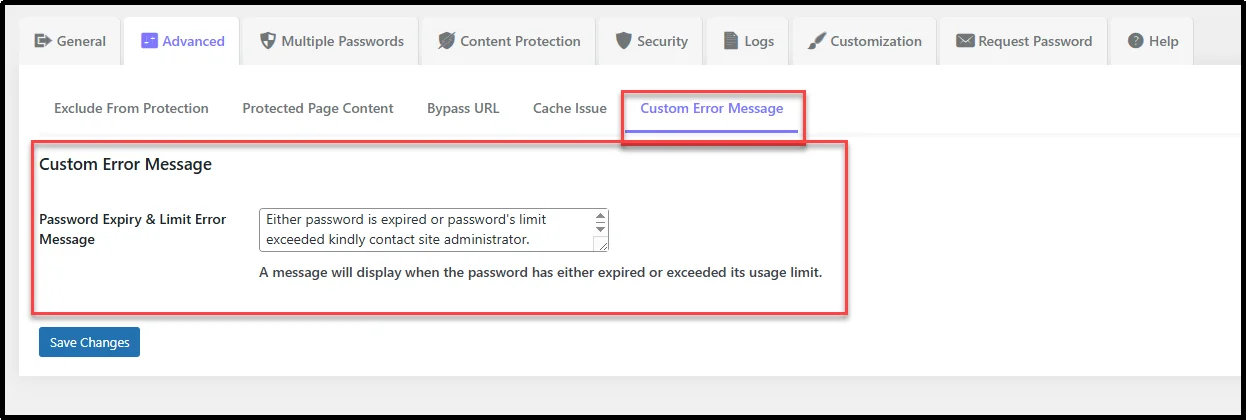
If you try to save an empty message, the system will stop you. This ensures your users never see a blank or broken message.
Feature #3: Import & Export Individual Passwords via CSV
Managing passwords one by one takes time.
If you handle multiple users, clients, or protected pages, it quickly becomes overwhelming.
Now inside the passwords table you have two buttons:
- Import Passwords button
- Export Passwords button
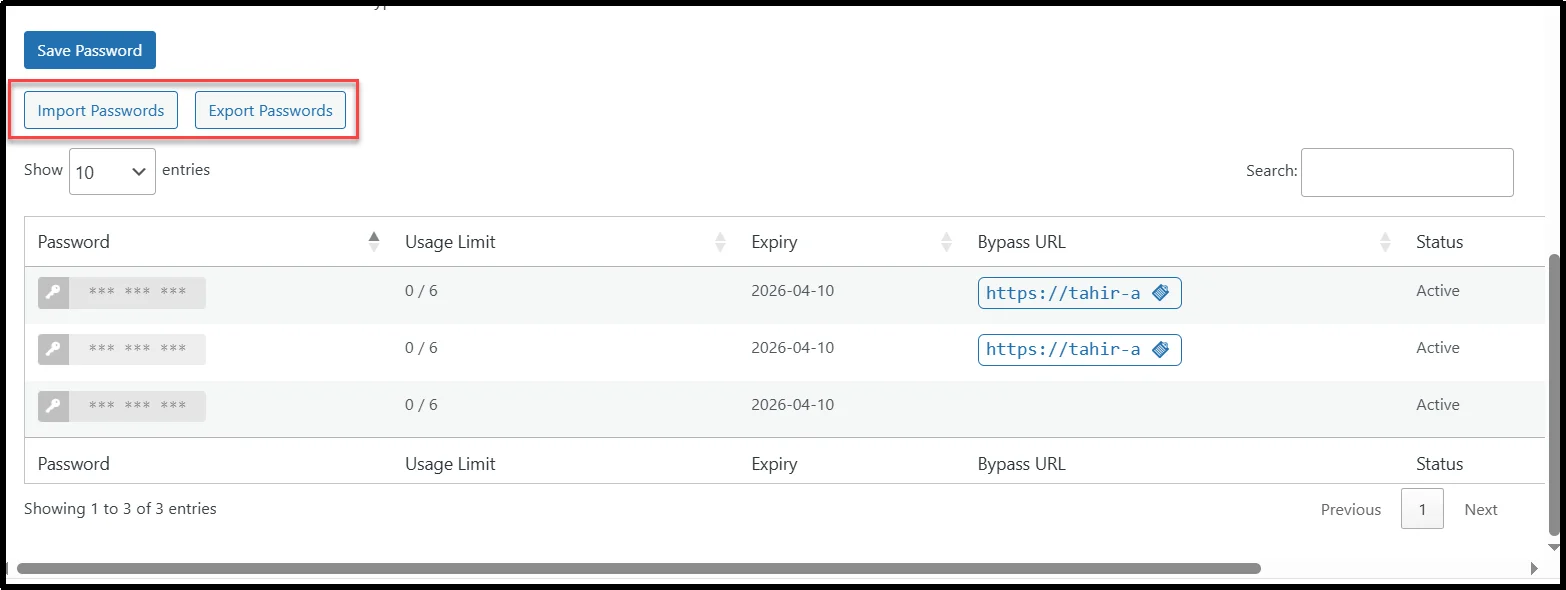
To import passwords in bulk, click Import Passwords, and a dialog box will appear. Drag your CSV file or choose it manually.
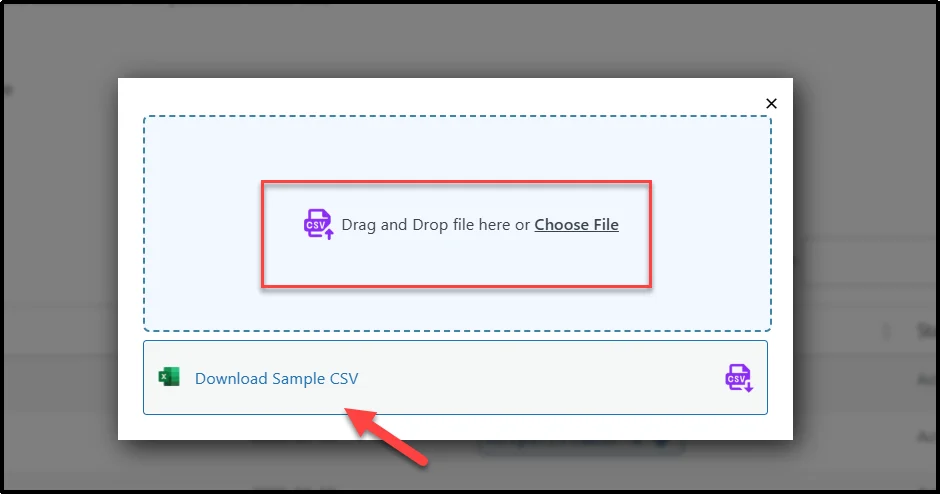
💡 Pro Tip: Download the sample CSV first to see the exact format you need. The file requires these columns: Password, Usage Limit, Expiry, Bypass_URL, and Status. Upload a valid file and watch all passwords appear instantly.
In order to export passwords, click Export Passwords and get a CSV with all your current passwords. The file contains every column from your table.
Why These Features Matter
This update focuses on real-world usability.
Here’s what changes for you:
- Better Data Control: Export logs and passwords anytime you need.
- Clear User Communication: Custom messages remove confusion and improve trust.
- Faster Workflows: Bulk import and export eliminate repetitive tasks.
Everything works together to make Password Protected Pro more powerful and easier to use.
Ready to Upgrade Password Protected Pro v2.1.0?
Update the plugin directly from your WordPress dashboard:
- Go to Plugins → Installed Plugins
- Find Password Protected Pro
- Click Update Now
Still using the free version? You can upgrade and unlock advanced features with a 14-day money-back guarantee and up to 80% OFF on Lifetime Plans.
P.S. We want your feedback. If you have any questions or feature requests, feel free to send a message via our official support channel.
Thank you for choosing Password Protected Pro!