


If you’ve been using Password Protected Pro to safeguard your WordPress content, this new update is going to make your security even smarter.
We’re excited to announce the launch of Password Protected Pro v1.9.0. In this release we have focused on giving you stronger protection, better privacy, and a smoother experience for your visitors.
With this update, we’ve expanded CAPTCHA support beyond Google reCAPTCHA, which gives you more flexibility in how you defend your login pages and password screens from spam, bots, and automated attacks.
Let’s dive into what’s new.
Introducing the Two New CAPTCHA Options
Until now, the plugin supported only Google reCAPTCHA. While effective, we know many site owners want alternatives, whether for privacy reasons, performance preferences, or simply having more choice.
That’s why we’ve added hCaptcha and Cloudflare Turnstile to the mix.
You now have three different CAPTCHA providers to choose from, all directly integrated inside your WordPress dashboard.
Feature #1: hCaptcha Integration
hCaptcha brings a privacy-first verification system to Password Protected Pro. It helps block bots, spam, and automated abuse without sacrificing user experience. Visitors may be asked to complete a quick challenge, while you gain peace of mind knowing that only real people can access your protected content.
What makes hCaptcha stand out is its balance of security and respect for user privacy. It doesn’t track users in the same way traditional captchas often do, which makes it a great fit for site owners who prioritize data protection.
👉 You can configure hCaptcha inside Password Protected → Security → Captcha.
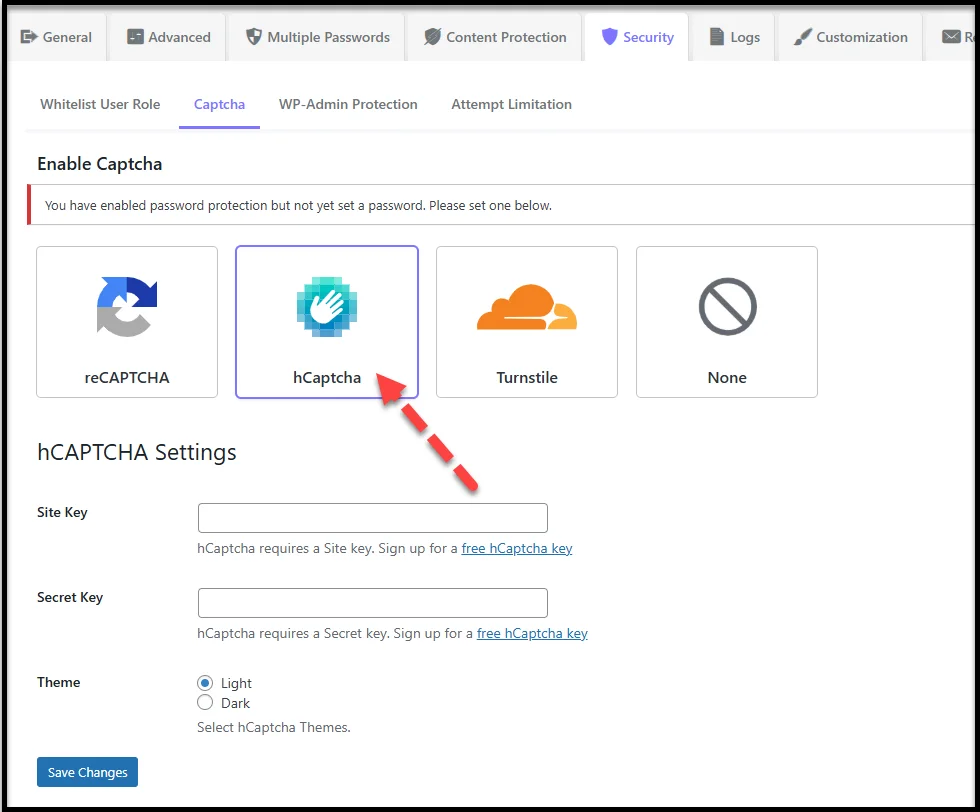
For detailed setup steps, check out the technical documentation.
Feature #2: Cloudflare Turnstile Integration
Cloudflare Turnstile takes a different approach to stopping bots. Instead of showing users puzzles, image grids, or questions, it runs quietly in the background and uses smart checks to filter out automated traffic. For real visitors, this means no disruptions, no challenges, and no extra clicks — just direct access after entering their password.
This makes Turnstile an ideal choice if you want friction-free security that protects your content while keeping the visitor experience as smooth as possible.
👉 You can enable Turnstile by selecting it in Password Protected → Security → Captcha.
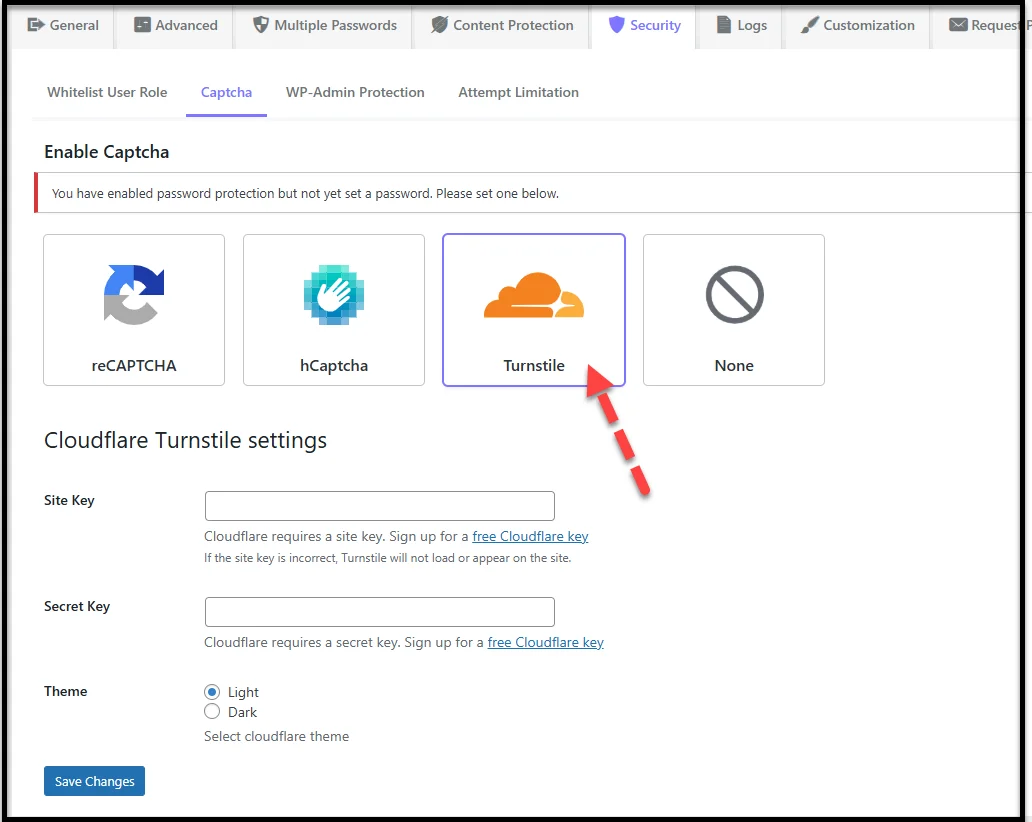
To see how to set it up, visit the documentation.
Why These Additions Matter
Adding hCaptcha and Cloudflare Turnstile to Password Protected Pro v1.9.0 isn’t just about offering more options, it’s about giving site owners the freedom to choose the security approach that fits their needs best.
- If you want a widely used and familiar option, Google reCAPTCHA is there.
- If you want stronger privacy, hCaptcha is now available.
- If you prefer invisible checks with minimal user interaction, Cloudflare Turnstile is ready for you.
With three different captcha providers, you can adapt your site’s defenses based on your goals, whether that’s better user experience, stricter spam prevention, or enhanced privacy.
Ready to Upgrade?
If you’re already using Password Protected Pro, updating to v1.9.0 is simple:
Go to your WordPress Dashboard → Plugins → Installed Plugins → Password Protected Pro → Update Now.
If you’re still using the free version, this is the perfect time to go Pro. You’ll unlock advanced features like:
- hCaptcha and Cloudflare Turnstile integration
- Custom post, page, category, and tag protection
- Bypass links for specific content
- Multiple password management
- Import/export passwords
- Request Password
- Custom text on protected screens
…and much more.
👉 Install the free version first, then click the Get Pro tab inside your dashboard to upgrade.
Before we let you go, as always, we’d love your feedback. Please tell us what you think of these new CAPTCHA integrations and what you’d like to see next.
Thanks for trusting Password Protected to protect your WordPress content.