

According to Statista, Bad bots now account for a 37% share of global web traffic, and they’re getting smarter by the day. While traditional CAPTCHA systems can stop basic automation, they often create friction for real users, which in turn slows page load times, hurts conversions, and frustrates visitors, especially on WordPress and e-commerce sites.
That’s why modern CAPTCHA solutions matter.
In this Cloudflare Turnstile vs Google reCAPTCHA comparison guide, you learn how both tools differ in privacy, performance, and user experience, so you can choose the best option for your website.
Ready? Let’s get started!
What Is Cloudflare Turnstile?

Cloudflare Turnstile is a privacy-first, invisible CAPTCHA designed to verify users without forcing them to solve puzzles or click image grids. Instead of relying on invasive behavioral tracking, Turnstile uses cryptographic signals and browser-level checks to distinguish human visitors from automated bots.
As a Google reCAPTCHA alternative, Turnstile is especially appealing to businesses prioritizing compliance and user experience.
Key Features and Benefits
- Invisible CAPTCHA with zero user interaction
- GDPR-compliant CAPTCHA with no cross-site tracking or behavioral profiling
- Lightweight script that minimizes page load impact
- Free tier with generous usage limits
- Native integration with the Cloudflare ecosystem
- Easy deployment via WordPress CAPTCHA plugin options
For websites focused on frictionless access, such as SaaS signups, content gating, or login protection, Turnstile offers strong bot protection without sacrificing usability.
What is Google reCAPTCHA?
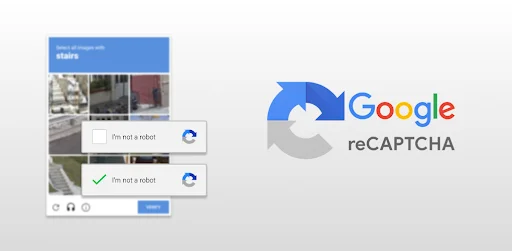
Google reCAPTCHA is one of the most widely used bot protection tools, offering multiple versions tailored to different use cases:
- reCAPTCHA v2: Checkbox and image-based puzzle CAPTCHA
- reCAPTCHA v3: Score-based risk analysis with no visible challenge
- reCAPTCHA Enterprise: Advanced AI detection with enterprise support
Google reCAPTCHA relies heavily on behavioral and usage data, making it effective at scale, but also raising ongoing concerns around privacy, transparency, and regulatory compliance.
Key Features and Benefits
- Advanced AI-driven bot detection
- Proven reliability at a global scale
- Deep integration with Google services
- Flexible options for consumer and enterprise use
- Strong support for high-risk environments like banking and e-commerce
Cloudflare Turnstile vs Google reCAPTCHA: Key Factors to Compare
User Experience
User experience is one of the biggest differentiators in the invisible CAPTCHA vs puzzle-based CAPTCHA debate.
- Cloudflare Turnstile runs silently in the background, verifying users without interruptions.
- Google reCAPTCHA, particularly v2, often requires users to solve image puzzles or click checkboxes.
For sites where speed and ease of access matter, Turnstile delivers a noticeably smoother experience and reduces friction that can impact form submissions and signups.
Privacy
Privacy regulations are stricter than ever, making CAPTCHA privacy concerns a top priority.
- Cloudflare Turnstile does not track users across sites and avoids personal data collection, making it ideal for GDPR- and CCPA-focused businesses.
- Google reCAPTCHA collects behavioral and usage data that may be shared across Google services, raising compliance challenges in certain regions.
If privacy, transparency, and regulatory compliance are central to your brand, Cloudflare Turnstile has a clear advantage.
Integration
Both solutions support modern CMS platforms, but the setup experience differs.
- Cloudflare Turnstile integrates easily with WordPress, Cloudflare WAF, and popular security plugins.
- Google reCAPTCHA works across almost all CMS platforms and third-party tools, particularly within the Google ecosystem.
For WordPress users, CAPTCHA integration with WordPress is straightforward with either option, though Turnstile often requires fewer configuration steps.
Performance
Performance directly affects SEO and conversions.
- Cloudflare Turnstile uses a lightweight script (under 1KB), resulting in faster page loads.
- Google reCAPTCHA loads a much heavier script (around 90KB), which can slow down pages, especially on mobile devices.
In head-to-head Turnstile vs reCAPTCHA performance comparisons, Turnstile consistently offers faster load times and lower resource usage.
Pricing
Cost is another major consideration when evaluating CAPTCHA solutions.
- Cloudflare Turnstile is free to use with generous verification limits, making it suitable for most small to medium-sized websites without additional costs.
- Google reCAPTCHA provides a free tier for up to 10,000 checks per month, after which paid plans apply. Enterprise-level solutions require a subscription for advanced features and higher verification limits.
When considering CAPTCHA for e-commerce websites or high-traffic platforms, Turnstile’s lightweight, cost-effective model often provides better value, while reCAPTCHA may incur costs as traffic scales.
Pros and Cons: Cloudflare Turnstile vs Google reCAPTCHA
Both Cloudflare Turnstile and Google reCAPTCHA offer unique advantages and trade-offs. Evaluating their strengths and limitations can help you choose the right solution for your website’s security, user experience, and privacy needs.
Cloudflare Turnstile Pros
- Seamless, invisible user experience
- Strong privacy and compliance stance
- Minimal performance impact
- Free tier suitable for most websites
Cloudflare Turnstile Cons
- Limited customization options
- Best suited for sites already using Cloudflare
Google reCAPTCHA Pros
- Mature AI-driven detection
- Global adoption and enterprise readiness
- Flexible versions for different risk levels
Google reCAPTCHA Cons
- User friction from puzzle challenges
- Ongoing privacy concerns
- Paid tiers are required for higher usage
Which CAPTCHA Should You Choose?
Choosing the right CAPTCHA depends on your website’s priorities and audience:
- Privacy-focused websites: Cloudflare Turnstile offers invisible verification with minimal data collection, making it ideal for GDPR- and CCPA-compliant sites.
- Enterprise-scale security: Google reCAPTCHA offers advanced AI-driven detection and global reliability, making it ideal for high-risk or high-traffic platforms.
- WordPress sites: Both Turnstile and reCAPTCHA integrate seamlessly with WordPress. If you want to add CAPTCHA to your password protected screen, then check out the Password Protected plugin.
Best CAPTCHA for WordPress Password‑Protected Content
Securing password-protected content on WordPress is essential for membership sites, premium downloads, and private pages. The Password Protected plugin makes it easy to lock posts, pages, custom post types, categories, or taxonomies while maintaining full control over access.
CAPTCHA Options Available
To prevent automated bot attacks, Password Protected integrates multiple CAPTCHA solutions:
- Google reCAPTCHA (v2 & v3): Classic, reliable bot protection widely adopted across websites.
- hCaptcha: A privacy-focused alternative that balances security with GDPR compliance.
- Cloudflare Turnstile: An invisible CAPTCHA offering a frictionless user experience and lightweight performance.
These CAPTCHA can be added directly to password screens or login forms, verifying human users before granting access and strengthening overall WordPress security.
Why This Matters
Adding CAPTCHA to password-protected content prevents spam, automated attacks, and brute-force attempts without compromising user experience. Whether you prioritize privacy, seamless UX, or enterprise-grade security, these integrations make it easy to protect your site while keeping your visitors happy.
Conclusion: How to Choose the Right CAPTCHA
Selecting the right CAPTCHA solution depends on your website’s priorities. Cloudflare Turnstile excels in privacy and a seamless user experience, while Google reCAPTCHA offers mature AI-driven detection and enterprise support. hCaptcha balances security with privacy compliance.
For WordPress users protecting sensitive or premium content, the Password Protected plugin makes integrating any of these CAPTCHA plugins simple and effective. It allows you to lock posts, pages, categories, or custom content types while verifying human visitors, preventing spam, and strengthening your site’s security, all without compromising usability. By combining the right CAPTCHA with a WordPress content protection plugin like Password Protected, you can protect sensitive content, block automated attacks, and keep your website fast, user-friendly, and prepared for evolving bot threats.