
Why Password Protected is ideal for WordPress Site/Content Protection
Password Protect Unlimited Posts and Pages
Any post, page, or custom post type
- Password protect all posts, pages, and custom post types, including WooCommerce products.
- Password protect a single post/page under a certain category or taxonomy.
- Exclude any post/page from password protection, such as your home page or landing page.
- Set password expiry, usage limit, redirection, password status, etc.
Partial Content Protection for WordPress
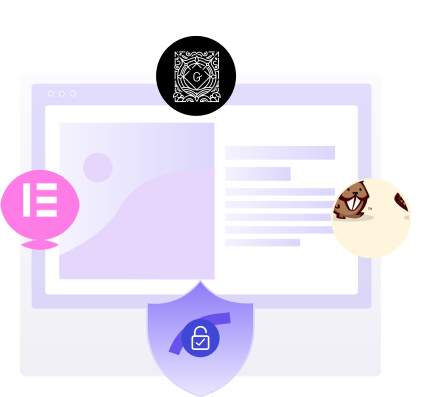
Protect specific sections of WP pages/posts with shortcodes.
- Lock premium text, images, or downloads while keeping teasers public.
- Works seamlessly with Elementor, Gutenberg, & Beaver Builder.
- Perfect for membership sites, and premium content previews.
- Maintain your page design while securing only the parts that matter.
Manage Multiple Passwords with Ease
Unlimited passwords for each post/page/category/tag
- Easily create and manage multiple passwords.
- Assign a unique password to each individual user.
- Activate, deactivate, or delete passwords at any time.
- Track the status of all passwords on a single screen.
- Import or export passwords in bulk using a CSV file.
- Import/export individual passwords in bulk via CSV
Limit Login Attempts for Optimum Security
The right way to protect against brute force attacks
- Prevent unauthorized access with a fixed number of login attempts for each password.
- Set a maximum number of login attempts for each password.
- Specify lockdown time in minutes to prevent further attempts.
- Enhance content security against brute force attacks and intrusions.

Elementor, Gutenberg & Beaver Builder Integration
lock specific sections right inside your favorite builder.
Set an Expiration Date for Each password
Provide time-limited access to your content
- Specify the expiry date for each password, after which the password will no longer work.
- Create time-limited access content, such as special offers, promotions, or seasonal events.
- Easily create dynamic and engaging content that is only available for a limited time.
- Set a custom error message for expired passwords to improve user experience.
Get Bypass Links for Quick Access
Create Bypass Links for Any Protected Screen
- Get bypass links for individual posts, pages, products, or categories.
- Easily share protected content among users without exposing passwords.
- Create a master bypass link for the entire site, or for a specific content only.
- Perfect for testing, internal reviews, or giving VIP access to trusted users.
- Simplify your content sharing strategy with Bypass links.
Password Protect Unlimited Categories/Taxonomies
Any category/taxonomy including all related Post Tags
- Protect the entire portfolio, gallery, or content under a category or taxonomy.
- Easily lockdown all related Post Tags across your website at once.
- Save time and effort by password protecting your content in bulk.
Comprehensive Password Activity Tracking
Monitor all password attempt activity in one place
- View IP address of user who accessed protected content.
- Track which browser was used and the date and time of attempt.
- Check the status of all the passwords you created for your site.
- Get valuable insights and data to optimize your content strategy.
- Export activity logs in CSV for reporting and analysis
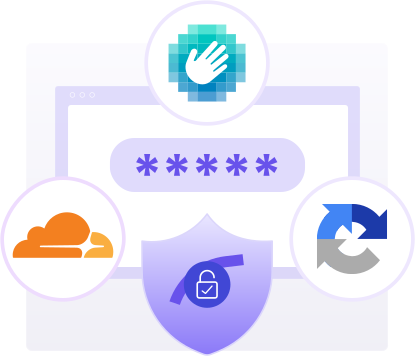
Google reCAPTCHA, hCaptcha, and Cloudflare Turnstile Integration
Stop automated bot attacks with CAPTCHA Protection
- Add Google reCAPTCHA (v2 & v3) to block bots.
- Use hCaptcha for privacy-focused protection.
- Enable Cloudflare Turnstile for a frictionless user experience.
- Verify humans before granting access.
- Strengthen WordPress login security.
With Password Protected, Get Everything You Need to Secure Your WordPress Site/Content
Features
WordPress Access Control
- User Role WhitelistingAllow user roles, like administrators, editors, or subscribers, to access protected content without requiring a password.
- WP-Admin ProtectionAdd an extra layer of security to your WordPress WP admin/ login page to protect sensitive site settings, user data, and administrative functions.
- Passwordless Admin AccessLog in as an administrator without typing the password, saving time and hassle.
WordPress Content Protection
- Custom Post Type ProtectionPassword protect any WordPress custom post type, such as WooCommerce product, portfolios or testimonials, with multiple passwords.
- Specific Page ExclusionExclude specific WordPress password-protected pages, such as the homepage or contact page, for greater content control.
- Category/Taxonomy ProtectionSecure WordPress categories and related post tags with multiple passwords, ensuring only authorized users can access protected categories.
- Specific Page/Posts ProtectionEasily password protect individual WordPress pages or posts, perfect for offering premium content to subscribers or testing new content.
Robust WordPress Security
- Limit Login AttemptsSet login attempt limit to protect your Password Protected screen from brute force attacks.
- Password Expiration LimitSet an expiration date and usage limit to control the validity and frequency of password usage.
- Bypass Links CreationUnique bypass links for posts, pages, WooCommerce products, categories, and a master URL for the entire site can be easily created for passwordless access.
- Password and Usage LimitGain insights into password attempts, including IP addresses and timestamps, for effective monitoring and review of user interactions.
- Password Attempt Activity ReportReceive weekly updates on user interactions, including successful and failed login attempts, browser details, and recent activity logs.
- Export Activity Logs to CSVInstantly download filtered activity logs as a CSV file for audits, reporting, or analysis.
Customization & Management
- Import/Export Individual PasswordsImport or export passwords for specific posts/pages individually.
- Custom Error Messages (Expired/Limit)Replace generic alerts with clear, branded messages when passwords expire or hit usage limits.
- Request PasswordEasily request access to protected content.
- Custom Text Outside the FormCustom text, such as instructions, disclaimers, or branding messages, can be added above or below the password form.
- Import/Export Bulk PasswordsUpload or download multiple passwords simultaneously via CSV.
- Lock Screen CustomizationCustomize the password protected screen with background, logo, and color scheme to reflect your branding.
- Multiple Password ManagementCreate, activate, deactivate, or delete unlimited passwords for various purposes like testing or membership management.
- Advance Multisite Network ProtectionEasily password protect all your WordPress sites directly from the main site in the multisite network.
Integrations
- reCAPTCHAProtect your site from bots with Google’s reCAPTCHA (v2 & v3).
- hCaptchaPrivacy-first CAPTCHA to block bots without heavy data collection.
- Cloudflare TurnstileLightweight, user-friendly CAPTCHA that works in the background.
Partial Content Protection
- Partial Post ProtectionLock specific sections of a WordPress post with a password.
- Partial Custom Post ProtectionSecure specific content inside custom post types.
- Partial Page ProtectionProtect selected areas of any WordPress page.
- Elementor & Gutenberg SupportRestrict blocks, widgets, or sections without breaking your design.
Besides These Core Features
Get 2 EXTRA BONUSES with Password Protected Pro
1-Year Priority Customer Support – 100% FREE
- View IP address of user who accessed protected content.
- Track which browser was used and the date and time of attempt.
- Check the status of all the passwords you created for your site.
- Get valuable insights and data to optimize your content strategy.


1-Year Premium Features Updates – 100% FREE
- View IP address of user who accessed protected content.
- Track which browser was used and the date and time of attempt.
- Check the status of all the passwords you created for your site.
- Get valuable insights and data to optimize your content strategy.
Keep Your WordPress Site/Content
Secure and Protected 24/7
